The bench: what you are looking at
The doll disassembly is the first of the game's five minigames, and it is the only one that shows you a complete object in a single frame before it comes apart in your hands. You point, click and drag with the mouse. The old doll on the table is pulled apart piece by piece, and every piece you remove has to be filed into a labelled slot on the panel beside the work area. There is no timer on it and no fail state. The teddy bear lying on the table on Day 1 is the first doll you meet, and the same bench comes back on the nights that follow.
The interface is fixed rather than assembled per doll. The build ships one UI prefab for the whole activity and names every element of it in the skin block: frame, stageBox, slotPanel, slot, toolbar, toolSelPad, iconScissors, iconScalpel, iconHand, confirmButton, check, chibiHead, chibiBox, labelFont and bodyFont. Eleven of those keys point at one single 2048 by 722 texture sheet, which tells you the bench is a cut-up skin rather than a set of separate widgets. Only two elements live somewhere else: chibiHead is Adrian's own chibi portrait, and chibiBox is the chibi text box that carries the tutorial's voice.
Two fonts do all the work. Slot labels are set in Boogaloo SDF, the rounded display face you read EYES and ARMS in, while body text runs in Mitr-Regular SDF. Neither choice tells you anything about the game, but the pairing does tell you that the bench was drawn as a self-contained screen with its own typography, separate from the dialogue box you use for the story.
| Skin key | What it is on the bench |
|---|---|
frame | The outer border of the whole activity. |
stageBox | The box the doll itself sits in, on the left of the screen. |
slotPanel | The panel that holds the six slots, beside the stage. |
slot | One individual slot target on that panel. |
toolbar | The strip of controls in the corner of the screen. |
toolSelPad | The round pad you click to choose which tool is active. |
iconScissors | The scissors. One of exactly three tools. |
iconScalpel | The scalpel. One of exactly three tools. |
iconHand | The gloved hand. One of exactly three tools. |
confirmButton | The button that ends the activity once the panel is full. |
check | The checkmark drawn inside a stitched square. |
chibiHead | Adrian's chibi portrait, used by the tutorial box. |
chibiBox | The chibi text box the tutorial lines are spoken in. |
labelFont | The slot label face, Boogaloo SDF. |
bodyFont | The body face, Mitr-Regular SDF. |
What matters for you as a player is the tool count, and it is exactly three: iconScissors, iconScalpel and iconHand. They match the tutorial line that opens the sequence, which points at the corner of the screen and calls them three little tools. The confirmButton and the check are not tools, even though they sit on the same strip of interface. The checkmark is what the tutorial calls the little check: the thing you press once every slot is filled. If you have been counting four buttons down in the corner, you have counted the check twice, and that is a common enough misreading that the tutorial bothers to explain it.

The bench is also where the story leaks through the mechanics. Adrian talks about Madison, an orphan, and about the teddy bear he made for her, which she named Macaroni and carries everywhere. The build never gives the bear on your table a name of its own, so treat any link between the two as the story's implication rather than a stated fact — but what you are asked to take apart is unmistakably the sort of object that a child has carried until she could not carry it any more. The game never says that out loud. It only makes you do it.
Two other things sit close to the bench in the fiction without being part of it. The scalpel you use elsewhere in the house is a separate object with its own persistent state: picking it up is tracked by the flag hasScalpel, and that flag is a decision about the run rather than a menu item. And on the same evening Adrian brings home a green dinosaur and asks you to name it. The four options are O'Green, Jeff the dark-lord of the darkness realm, Diny the bed-watcher and Bob. Naming the dinosaur is the only other interaction on Day 1 with the same shape as the bench, and it carries more weight than its three buttons suggest.
One mechanical detail applies to every doll you will ever open on this bench, and it is worth knowing before you meet the first one: shakeOnCut is set to true in all five variants. The bench shakes on every cut. That is true of the plain bear, of the bunny, of the twist variant and of the gore-flag variant alike. It is the single most consistent behaviour in the whole minigame, and the closest thing it has to a pulse.
Six slots and ten pieces
The panel beside the stage has six slots on it. Five of them are labelled in plain capital letters and the sixth is labelled with three question marks. The slot definitions in the build are identical in all five doll variants, which is worth stating plainly before anything else: whatever skin the doll is wearing, whatever reskins have been laid over it and whatever the room is doing behind the bench, the task you are being asked to perform never changes shape.
| Slot id | Label on screen | Capacity | What fills it |
|---|---|---|---|
| eyes | EYES | 2 | The left and right eye pieces. |
| ears | EARS | 2 | The left and right ear pieces. |
| arms | ARMS | 2 | The left and right arm pieces. |
| legs | LEGS | 2 | The left and right leg pieces. |
cotton | COTTON | 1 | The stuffing. |
| secret | ??? | 1 | The heart, which the panel never names. |
The capacities add up to ten, and ten is the number of pieces you take off a doll. Four slots want a pair, two slots want a single piece, and one of those single slots is the only one on the panel that will not tell you what it is holding. Read the capacity field of each slot as the honest description of the job: the panel is not showing you a bin to drop things into, it is showing you a checklist with the answers covered up.
The sixth slot has the id secret and the label ???. It is the only slot on the panel whose label is not the plain English name of the thing it holds. The other five say EYES, EARS, ARMS, LEGS and COTTON, in that flat display font, and this one refuses. The refusal is deliberate, and it is also the one place on the bench where the data does not hand you the answer outright.
Work it out from the part list instead, and the answer is forced. Every category of the bear's twenty-five part keys maps one-to-one onto a named slot, except one. The eyes come as a left and a right and fill the eyes slot. The ears come as a left and a right and fill the ears slot. The arms and the legs each come as a left and a right, and fill the arms and legs slots. The stuffing fills the cotton slot. That is nine pieces in, and one category is left over with nowhere to go: the flat pink heart sewn inside the chest cavity. The heart is what the ??? slot is for. The game never prints the word on screen, but the slot is named secret in the configuration and the heart is the only part of this toy that the panel has no plain name for.
The question mark is the objective
The other five slots are instructions. The sixth one is the point. The game hands you a list of things to put away and hides the one thing that actually matters behind a label with three question marks on it, and it puts that thing at the bottom of the cavity where the scalpel has to go first. Everything else on the bench is the path to the heart.
Two practical consequences follow from the table, and both will save you a failed attempt. First, the heart is the last thing you will find, because the chest cavity does not exist until you have opened the belly with the scalpel. Second, the panel is what gates the check button, so before you press it, count the slots rather than the pieces in your hand: you need ten pieces filed, and a slot that still reads ??? is a slot you have not satisfied even while you cannot see what belongs in it.
If you want to read the configuration yourself rather than infer it, the slot block carries the fields you would expect. Each slot has an id, a label and a capacity, and the slots list itself carries a pieceIds entry naming the parts that slot accepts. That last field is where the answer to the question mark actually lives.
The five-line tutorial
Only the first doll has a tutorial. The day1 variant carries five tutorial lines; the other four variants carry none at all, and no spotlight appears on the bunny stages or on the later bear. If you have already watched the sequence once, the second time you meet it you are doing it from memory, and the third time you are doing it while the game is trying to startle you.
| Line | Spotlight | Demonstrates? | What it says |
|---|---|---|---|
| 1 | 1 | No | See these? Three little tools, down in the corner. |
| 2 | 2 | Yes | The scissors snip the dark stitching — a piece comes right off. |
| 3 | 3 | No | The scalpel is for the belly. Only the seam down the middle. |
| 4 | 4 | Yes | Then the hand scoops up a loose piece and tucks it in its slot. |
| 5 | 6 | No | Fill every slot, press the little check, and we're done. You've got this! |
Two of the five lines are demonstrations. The scissors line and the hand line perform the action for you while the text reads them, so that you see the snip and the scoop rather than being told about them. The other three point at something and describe it in words. That split is worth knowing, because a demonstration line is the game doing the job for you once, and a descriptive line is a rule you have to apply yourself every time afterwards.
The scissors, demonstrated
"The scissors snip the dark stitching — a piece comes right off."
The scalpel, explained
"The scalpel is for the belly. Only the seam down the middle."
The check, explained
"Fill every slot, press the little check, and we're done. You've got this!"
There is a small oddity in the numbering that is worth pointing out because it is checkable in the shipped data. The spotlight indices are 1, 2, 3, 4 and 6. There is no spotlight 5 anywhere in the tutorial data. The game points your attention at five different places using four different index numbers, and the gap is real rather than a misreading on your part. It is the sort of artefact that shows the tutorial was assembled in pieces over time rather than authored as one block, and it is exactly the kind of detail that makes the difference between a player who understands the bench and a player who is guessing.
Read the five lines together and they are the entire ruleset of the minigame. Line one tells you the tools are in the corner. Line two shows you the scissors on the dark stitching. Line three restricts the scalpel to the belly. Line four shows you the hand filing a piece into its slot. Line five tells you the activity ends when every slot is filled and you press the little check. Between them, that is the whole procedure, and it is under a minute of text.
What the tutorial never says
It never names the slots. It never mentions the heart. It never mentions the ??? slot on the panel, the fact that the bench shakes on every cut, or the fact that a scalpel is not a general-purpose tool you can point at any seam you like. The tutorial is an excellent guide to the mechanics and a very poor guide to the objective, and if you only read it you will finish the bench having removed every piece of the bear and still not knowing what the game was asking you to look for.
Nine seams and the thread parts
Nine of the twenty-five part keys are pure stitching. They are bear-thread-body-center, bear-thread-body-l, bear-thread-body-r, bear-thread-ears-l, bear-thread-ears-r, bear-thread-eyes-l, bear-thread-eyes-r, bear-thread-legs-l and bear-thread-legs-r. Nine seams in total: three running down the body, and a pair each for the ears, the eyes and the legs. The body set is the interesting one, because it is not one seam but three — a centre, a left and a right — which is why the body has more stitching than any other part of the toy.
These nine are the parts the scissors exist for. The tutorial's scissors line says the scissors snip the dark stitching and a piece comes right off, and the nine thread parts are the only entries in the whole list that are literally stitching rather than a stuffed shape. Cut the thread on the ear and the ear comes away. Cut the thread on the leg and the leg comes away. The tool does not choose which part it affects; you do.

The scalpel is narrower, and the tutorial is explicit about the limit: the scalpel is for the belly, and only for the seam down the middle. There is exactly one body thread that matches the phrase seam down the middle, and it is bear-thread-body-center. The left and right body threads flank it. The reading the data supports, then, is that the eight peripheral threads are the scissors' work, freeing the ears, the eyes, the arms and the legs, while the centre body thread is the scalpel's, because the scalpel is the instrument that opens the cavity rather than the instrument that frees a limb. The scalpel is a blade with one job, and the tutorial spends a whole line telling you so because players will absolutely try to use it on the arm seams and wonder why nothing happens.
What the scalpel produces is worth naming, because two keys point at the same media file. bodyopen and bear-body-cut are two names for one picture: the torso with the belly cut open and the pale stuffing spilling out of the hollow interior. They are not two stages of the process and not two states to reach. They are the same opened body under two names. The torso with its seams still intact is bear-body, and the plain brown plate on the back of the toy is bear-body-back. So the body group gives you four keys standing for three pictures: the closed torso, the open torso under two names, and the back.
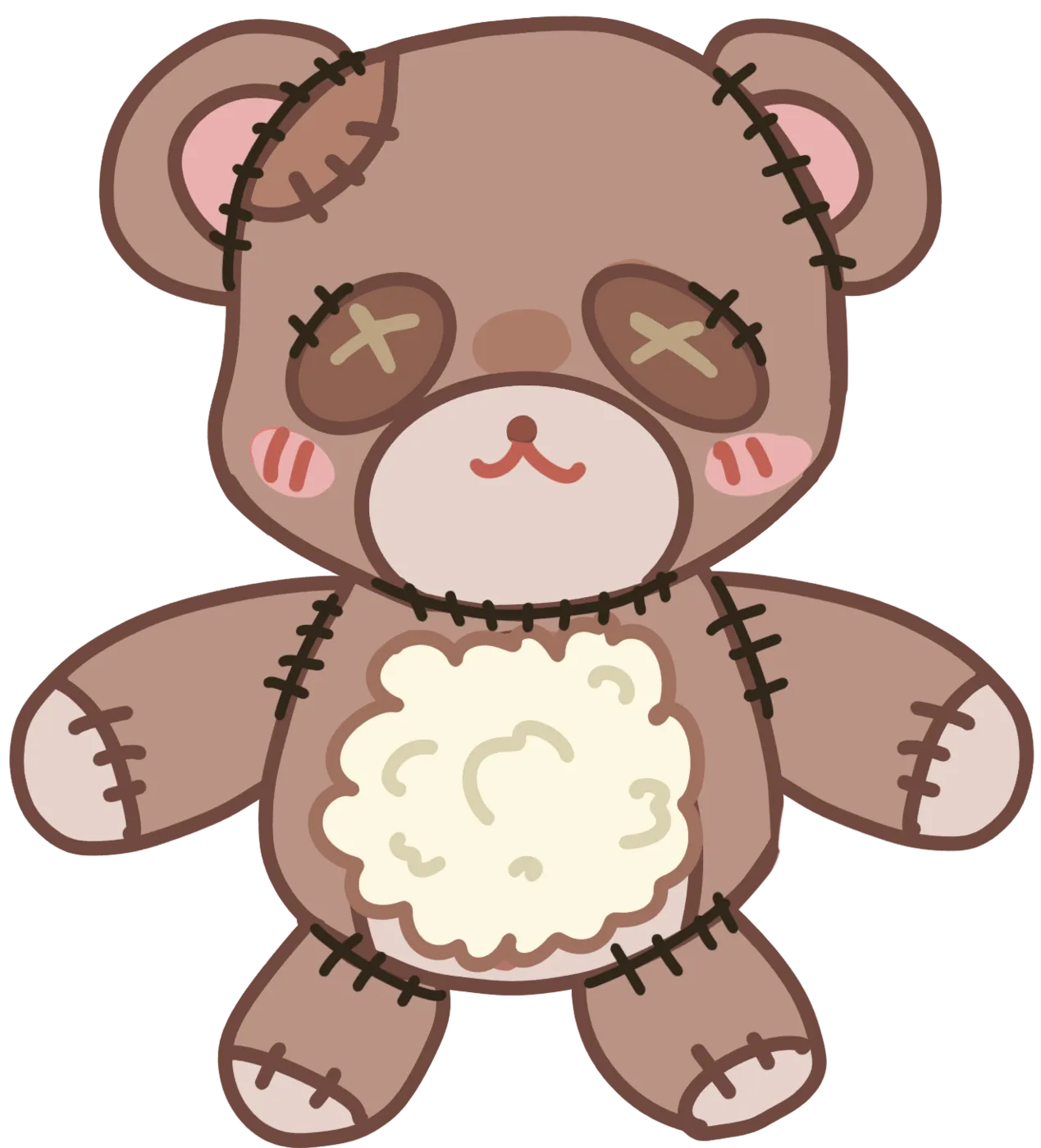
That last picture is the assembled bear, bear-1-ex1, and it is the single most useful image in the entire set, because it shows you the finished state of the toy in one frame: seams black against beige, eyes crossed out with X-shaped stitching, and the stuffing still sitting in the cavity. Hold it in your head while you work. Everything you remove is a piece of that picture.

The third tool is the one that makes the minigame a game rather than a demolition. iconHand picks up a loose piece and tucks it into its slot, and the tutorial demonstrates it rather than describing it. The hand is also the reason the sounds are split the way they are: the scissors and the scalpel share sfx-doll-cut, the moment a seam gives way has its own sfx-doll-slip, and the hand scooping up the stuffing has sfx-doll-cotton. The slip sound is the one worth listening for, because it fires when the stitching parts rather than when the tool touches it, and it is the sound of the toy losing an attachment.
All twenty-five parts
The build's asset list holds twenty-five doll part keys. They are all bear parts plus one alias, and they fall into eight groups. Here is the complete set, with nothing left out.
| Part key | Group | What it is |
|---|---|---|
bear-1-ex1 | Whole toy | The fully assembled bear with its belly already open. The reference image for the whole set. |
bear-head | Head | The head, with heavy black stitching across the crown. |
bear-body | Body | The torso with its seams intact. |
bear-body-cut | Body | The torso with the belly cut open and the stuffing out. |
bodyopen | Body | An alias of bear-body-cut. The same media file under a second name. |
bear-body-back | Body | The plain brown back plate. |
bear-arms-l | Limbs | The left arm. |
bear-arms-r | Limbs | The right arm. |
bear-legs-l | Limbs | The left leg. |
bear-legs-r | Limbs | The right leg. |
bear-eyes-l | Face | The left eye, sewn shut with cross-stitching. |
bear-eyes-r | Face | The right eye. |
bear-ears-l | Face | The left ear. |
bear-ears-r | Face | The right ear. |
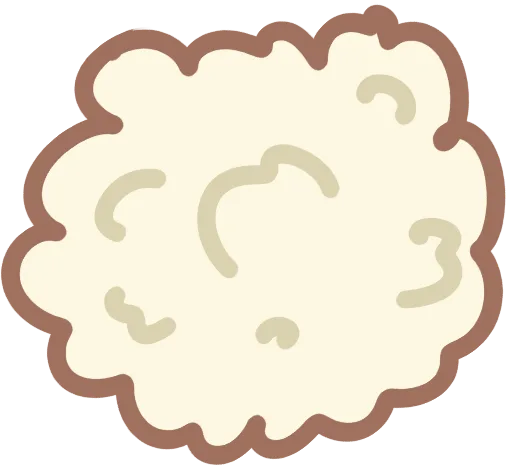
bear-cutton | Filling | The stuffing, spelled with two t's in the shipped key. |
bear-heart | Payload | A flat pink heart, sewn inside the chest cavity. |
bear-thread-body-center | Seams | The seam down the middle of the belly. The scalpel's target. |
bear-thread-body-l | Seams | The body seam on the left of the centre. |
bear-thread-body-r | Seams | The body seam on the right of the centre. |
bear-thread-ears-l | Seams | The stitching holding the left ear on. |
bear-thread-ears-r | Seams | The stitching holding the right ear on. |
bear-thread-eyes-l | Seams | The stitching holding the left eye on. |
bear-thread-eyes-r | Seams | The stitching holding the right eye on. |
bear-thread-legs-l | Seams | The stitching holding the left leg on. |
bear-thread-legs-r | Seams | The stitching holding the right leg on. |
Ten of those keys are pieces you physically remove and file: the two eyes, the two ears, the two arms, the two legs, the stuffing and the heart. That is exactly ten, and it is exactly what the six slots ask for. Everything else in the list is the toy as it appears on the stage rather than a piece that goes in the panel: the assembled bear, the head, the closed torso, the open torso and the back plate. The head is not filed anywhere, because the head is the thing you are standing over while you cut the seams off it.
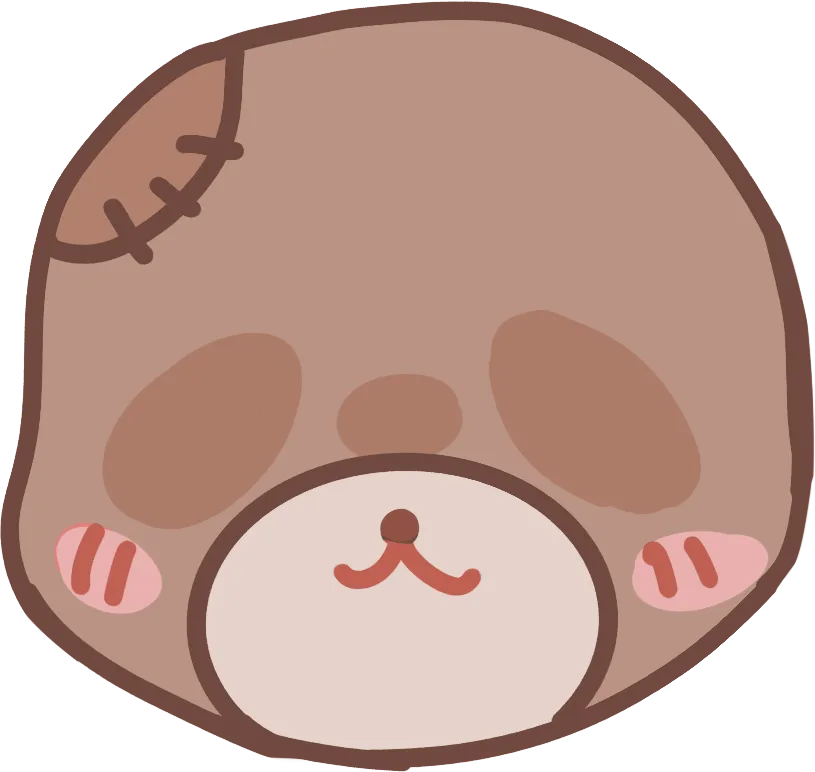
Two counting details are worth having, because they are the kind of thing that makes a discrepancy look like an error when it is not. First, the twenty-five keys cover only twenty-four distinct pictures, because bodyopen and bear-body-cut are the same file. Second, the build keeps a separate count of twenty-two entries under a doll-layer prefix, and those are not bear parts at all: they are the overlay layers, which is where the gore material lives.
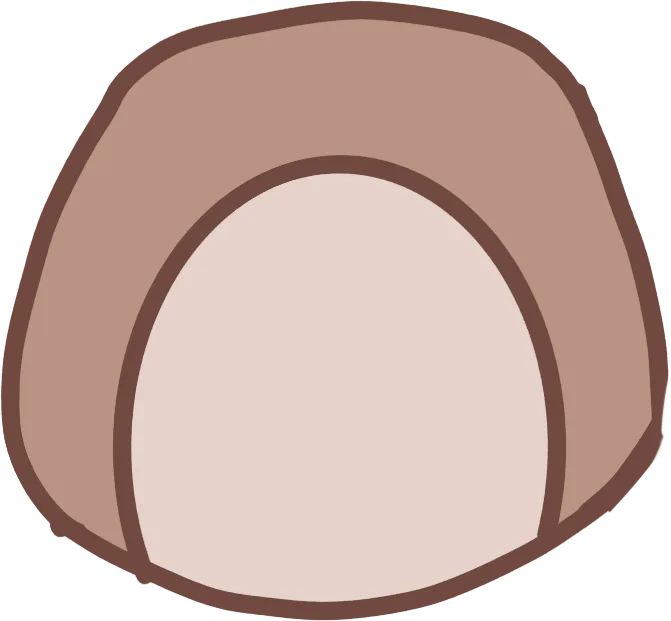
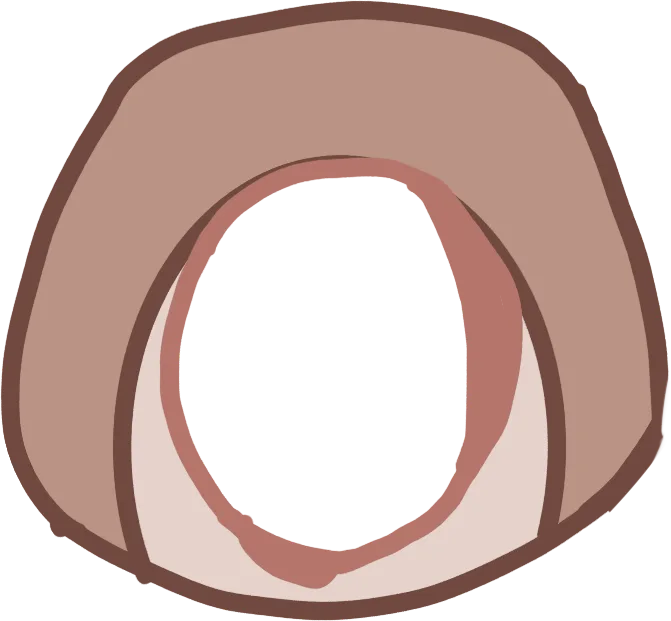
The stuffing has its own key, and it is spelled oddly. bear-cutton is the cotton, with two t's, and it is the piece that fills the COTTON slot. Nothing on screen uses the misspelling: the slot label reads COTTON, the piece itself is a loose clump of pale cream stuffing, and the only place the doubled t exists is in the asset key. It is the same category of quiet filename artefact as the scraem voice tag elsewhere in the game, and like that one it is checkable in the shipped data rather than something this page has introduced.
Five variants, two mechanisms
The build ships a doll configuration file with exactly five variants, and they are not five skins of one scene. They are five separate configurations with different stages, different art and different behaviour, and the differences between them are what make the minigame worth studying across a whole playthrough.
| Variant | Stage | Gore flag | Shakes on cut | Tutorial | Twist |
|---|---|---|---|---|---|
day1 | DollStage_Bear | False | Yes | 5 lines | Off |
day2 | DollStage_Bunny1 | False | Yes | None | Off |
day2gore | DollStage_Bunny1 | False | Yes | None | On |
day3 | DollStage_Bear2 | False | Yes | None | Off |
day3gore | DollStage_BunnyGore | True | Yes | None | Off |
Read that table and the naming trap jumps out at you. Only one variant has the gore flag set to true, and it is day3gore. The variant called day2gore has gore set to false. What makes it special is that its twist is enabled. The file name is not the flag, and if you sort these five configurations by name you will describe the two horror variants the wrong way round. The stage column tells the same story from the other side: the twist variant shares the ordinary bunny stage with plain day2, and the gore-flag variant gets a stage of its own, DollStage_BunnyGore.
| Twist field | Value | What it does |
|---|---|---|
hold | 2 | The same value appears in every variant's block, including the four with the twist off, so it is a default rather than a setting that distinguishes anything. |
sfx | jump1 | The primary sting the twist fires. |
extraSfx | sfx-CreepyDoll-jump | The extra sound layered over the primary one. Note the capitalisation: this is how the configuration spells it, while the doll audio group carries the clip sfx-creepydoll-jump in lower case. |
background | bg-real-room-glitch-1 | The room that replaces the one behind the bench. It is the first and cleanest frame of a four-frame glitch set. |
reskins | 13 parts | The part art that replaces the bear's. |
extras | 1 extra | The gore layer fitted over the face. |
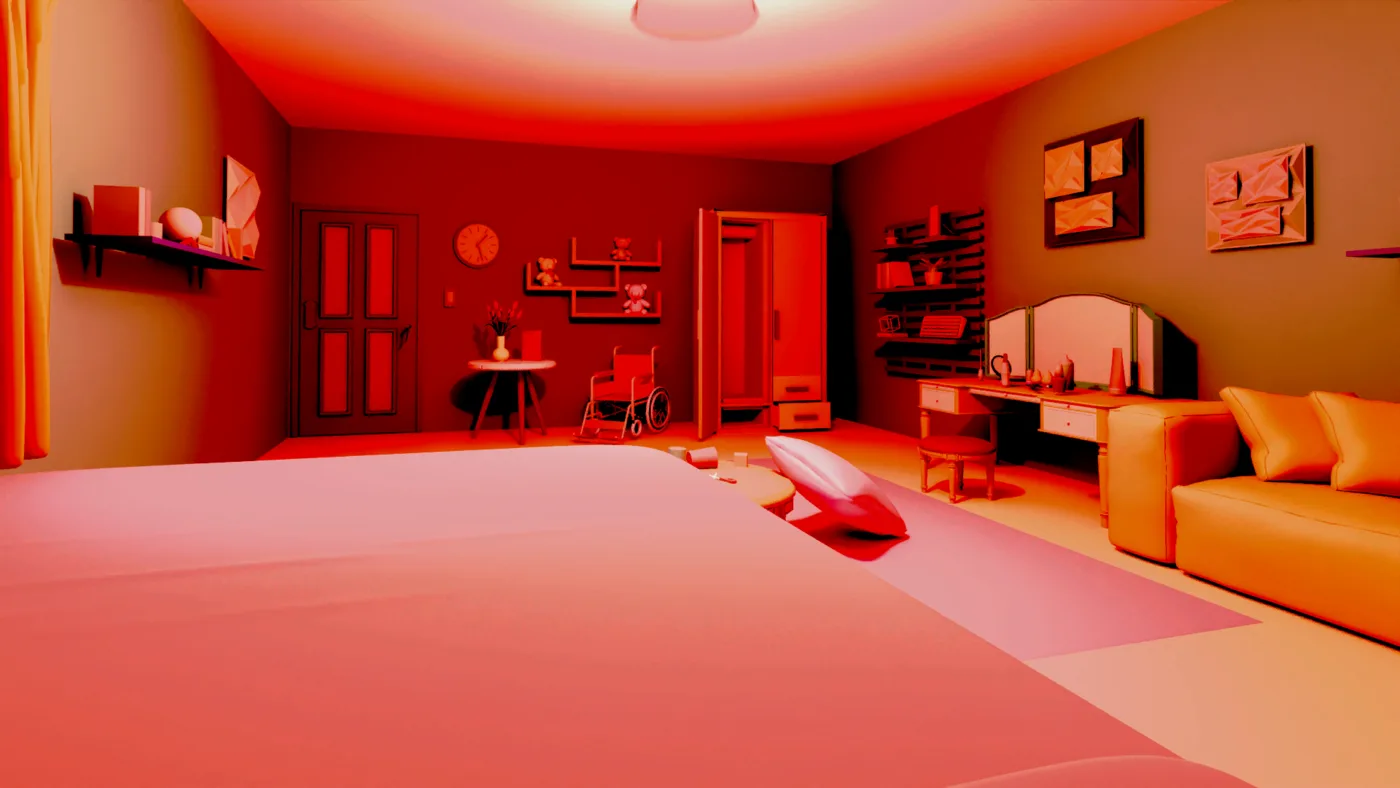
The room change is the one you will notice first, because the cover image of this page is exactly what it looks like. bg-real-room-glitch-1 is a listed background asset, and when the twist fires it takes the room away and replaces it with a frame from the game's own glitch set. It does not change the bench, the tools or the panel. It changes the room you are standing in while you work, which is a cheap and genuinely unpleasant trick, because you are looking at the same table and the same bear while the light behind them turns red.
And through all of it, shakeOnCut stays true. Every cut, every variant, every night of the game. If the bench shakes while you are cutting the plain brown bear on the first night, it will shake in exactly the same way when the bunny comes back with a scar over one eye. That consistency is deliberate: the shake is the game's own heartbeat for the activity, and it does not vary with the horror level.
What the gore variants actually change
There are two mechanisms here, and they are genuinely different systems rather than one system with two settings. The first is the twist, which belongs to day2gore and does four things at once: it swaps in thirteen replacement parts, it attaches one extra gore layer over the doll's face, it replaces the room with the glitch background, and it brings its own jump sounds. The second is the gore flag, which belongs to day3gore and does one thing: it puts the bench on a dedicated stage, DollStage_BunnyGore, with the horror art built into the stage rather than layered over it.
Content note for this section
The game carries a content warning covering blood and cartoon gore, disturbing images, jumpscares, loud noises and flashing. The images below are the game's own shipped assets for the gore variants, shown so that you know exactly what changes between the plain bench and the horror bench. They are cartoon gore: flat pink shapes, wet-looking red, stitched seams and a bloodied mouth. There is no realistic violence here, but the gore variant of this minigame is loud, sudden and close to the camera, and it is combined with a jumpscare sound in the same sequence. Read this section, then decide.
The thirteen reskins are the heart of the twist mechanism, and they are named in a completely different style from the bear parts. The bear parts are hyphenated and lower case; the reskins are short names with a capital letter and a side. They are eyes-L, eyes-R, ears-L, ears-R, arms-L, arms-R, legs-L, legs-R, cotton, heart, body, back and head.
Thirteen is not an arbitrary number. It is the exact set of categories the toy has: two eyes, two ears, two arms, two legs, the stuffing, the heart, the body, the back plate and the head. Every part category the bench can show is reskinned, and there is no category the reskins miss. The reskin set is a complete second skin for the same toy, which is why the twist variant still works exactly like the plain one even though none of the art is the same.

The two reskins that carry the most weight are the head and the body, because they are the ones that change what the object has been through rather than what it is made of. The head reskin is the bunny head with a stitched scar running over one eye, and the body's reskin is the bunny with its belly torn open rather than cut. The seams are in the same places and the slots still want the same ten pieces, but the story the picture tells has changed: this toy was not taken apart neatly. It was already broken when you got to it.


The single extra is different in kind from the thirteen reskins, and the distinction is worth keeping straight. bunny-mouth-gore is not a replacement for a part. It is a separate gore layer that gets fitted over the doll's face rather than swapped in where something used to be, which is why the build keeps its own count of layered assets: twenty-two entries under the doll-layer prefix, sitting apart from the twenty-five bear part keys. An extra layer can sit on top of an existing piece; a reskin cannot.

The audio changes too, and it changes in the way that should reassure you rather than worry you: the game does not reuse one cut sound for the horror variants. sfx-doll-gore-cut and sfx-doll-gore-slip are separate recordings sitting alongside sfx-doll-cut and sfx-doll-slip. The gore variants also pull on sfx-glitch-creepy-doll, sfx-creepydoll-jump and sfx_creepydoll_jumpscare_2, and the jump material is a set of its own: jump1, jump2, jump3, sfx-jump-a-cd and sfx-jump-mid1. Thirteen clips in total, five of them the bench's own work and eight of them the jumpscare vocabulary.
What does not change is the part that actually matters for play. The six slots, their capacities, the three tools, the rule that the check only works once every slot is full, and the ten pieces you have to file are identical across all five variants. The gore variants change the art, the audio and the room behind the bench. They do not change the objective, the number of pieces or the order you have to work in. That is precisely what makes them variants of the minigame rather than a different minigame, and it is why a first run on a gore variant is not harder than a first run on the bear — it is only louder.
The hidden heart
One part of the list has not had its turn, and it is the one worth finishing on. bear-heart is a flat pink heart, a simple childlike shape of the kind a maker hides in a toy because it means something to them. It is sewn inside the chest cavity, which means it is only reachable after the belly has been opened with the scalpel, which means it is the last piece you will ever find on this bench and the only piece that the game goes out of its way to hide.
It is also, structurally, the reason the panel has a question mark on it. Five slots describe themselves and the sixth refuses. The refusal is not a puzzle with a trick answer; it is a hole in the instructions that you fill by taking the toy apart and seeing what is actually inside. The game will not tell you that the last thing you are looking for is a child's heart hidden in a bear's chest. You have to get there yourself, and then notice that the panel had a place for it all along.
Context is what gives the object its weight. Madison is the orphan Adrian talks about, and Macaroni is the name she gave the bear he made for her, which she carries everywhere. The build never names the bear on your bench, so the connection is the game's suggestion rather than a stated fact, and it would be overreach to treat the bear on the table as Macaroni on the strength of it alone. But the pieces on the bench are the pieces of a child's toy, made by an adult who wanted it to mean something, and the game makes you take it apart before it will admit that there was anything inside at all.

And then it goes in the slot labelled ???, which is the last joke the game makes with you. The whole minigame is a checklist, and the checklist has a slot whose name is the absence of a name, and what goes in it is the thing the game would not describe. Once it is filed, the check button becomes live and the activity is over. Nobody in the story mentions it.
Running the bench cleanly
The bench does not enforce an order, and any piece will be accepted as soon as it is loose. But there is an order that avoids wasted clicks and, more importantly, that guarantees you find the heart, so this is the one to use.
-
Open the toolbar and take the scissors
The tools sit down in the corner and the selection pad picks between them. The tutorial names them once: three little tools. There is no fourth tool to find, so if you are hunting the corner for something else, stop.
-
Free the ears and the eyes
Two thread pairs, four pieces, two slots. Cutting the eye stitching is what releases the eyes, and they are sewn rather than glued, so the X-shaped stitching over each socket is the target.
-
Free the arms and the legs
Two more thread pairs, four more pieces, two more slots. The body threads on the left and the right are part of this stage rather than the scalpel's job; the scalpel is for the seam down the middle only.
-
Switch to the scalpel and open the belly
One seam, one tool, one result: the torso with the belly cut open and the pale stuffing spilling out. This is the only cut in the minigame that opens a cavity, and it is the one the tutorial spends a whole line narrowing down for you.
-
Take the stuffing with the hand and file it in COTTON
The clump of cream stuffing is a real piece with a real slot and its own sound. The hand is what lifts it, and the hand is what files it.
-
Find the heart and file it in the ??? slot
It is flat, it is pink and it is inside the cavity you just opened. The slot for it is the sixth one on the panel, and it is labelled with three question marks rather than a name, so look for the odd one out rather than looking for a heart.
-
Count the panel, then press the little check
Ten pieces in six slots. Once every slot is full the checkmark becomes live. The check is a separate control from the three tools, which is the one distinction the tutorial bothers to make.

Three more pieces of practical advice, all of them things the data tells you rather than things you have to discover by failing.
- Fill the pairs. Every paired slot has a capacity of two, and the two halves are separate pieces. A slot that looks almost right is wrong, and the check button will not tell you which half you missed.
- Do not click through a cut.
shakeOnCutis true in every variant, so the bench shakes on every cut including the gore ones. The shake is a beat in the animation, not a glitch, and mashing the mouse during it is the most common way to lose track of which seam you were on. - Expect no tutorial after night one. Only
day1has the five lines. On every later variant you are on your own, and the twist and gore variants arrive after that point, so the tutorial is the only place the game explains the procedure. Write the five lines down if you are chasing a route.
One last note on the order of operations, because it is the question every player asks: the heart comes after the stuffing in practice, but not because the game orders it that way. The stuffing is in the way. Once the belly is open you can see both, and the heart is the flat pink shape against the cream of the stuffing rather than inside it.
Frequently asked questions
How many parts does the teddy bear have in Helping Your Boyfriend?
Twenty-five part keys, and ten of them are pieces you actually remove and file. The twenty-five cover the assembled bear, the head, the two arms, the two legs, the two eyes, the two ears, the stuffing, the heart, the torso with its back plate, and the nine stitching parts. Because bodyopen and bear-body-cut point at the same media file, the set contains 24 distinct pictures behind 25 names.
What is the ??? slot on the doll bench?
It is the sixth slot, and the only one whose label is not the plain English name of what it holds. Its id in the build is secret, and what it takes is the flat pink heart sewn inside the chest cavity. Every other piece maps one-to-one onto a named slot: the eyes onto EYES, the ears onto EARS, the arms onto ARMS, the legs onto LEGS and the stuffing onto COTTON.
Which tool cuts what on the doll bench?
The scissors cut the dark stitching, which is the nine thread parts, and the scalpel is for the belly and only for the seam down the middle, which is the centre body thread. The hand scoops up a loose piece and tucks it into its slot. The checkmark is not a tool: it is the little check you press once every slot is filled.
Why does the screen shake when I cut the doll apart?
Because shakeOnCut is set to true in all five doll variants, so the bench shakes on every cut whether the doll is the plain bear, the bunny or one of the two horror variants. It is the one behaviour shared by every configuration, and it is the closest thing the minigame has to a heartbeat.
What is the difference between day2gore and day3gore?
They use two different mechanisms. day2gore has the gore flag set to false and its twist enabled, so it keeps the ordinary bunny stage and adds 13 reskins, one extra gore layer over the face, a glitch background and its own jump sounds. day3gore has the twist disabled and the gore flag set to true, and it uses its own dedicated DollStage_BunnyGore stage. The names are misleading: only day3gore actually has the gore flag.
Does the game explain how to do the doll minigame?
Only once. The day1 variant carries a five-line tutorial and the other four variants carry none at all. Two of the five lines demonstrate the action while they describe it and three only point and talk. The tutorial also never names the slots, never mentions the heart and never mentions the question mark slot, so it teaches you the mechanics and not the objective.
Why is the stuffing part called bear-cutton?
Because that is how the shipped build spells it, with two t's. Nothing on screen uses the misspelling: the slot label reads COTTON and the piece itself is a clump of pale cream stuffing. It is the same kind of quiet filename artefact as the scraem voice tag elsewhere in the game, and it is checkable in the game's own data rather than introduced here.
Does the gore version change how the minigame works?
No. The slots, their capacities, the three tools and the rule that the check only works once every slot is full are identical in all five variants. The horror variants change the art, the audio and the room. The game even records separate cut and slip sounds for them, with sfx-doll-gore-cut and sfx-doll-gore-slip sitting alongside sfx-doll-cut and sfx-doll-slip, but the objective and the number of pieces stay exactly the same.
How many sound effects belong to the doll minigame?
Thirteen, and they are the whole jumpscare vocabulary. The bench itself uses sfx-doll-cut, sfx-doll-slip and sfx-doll-cotton, the gore variants add sfx-doll-gore-cut and sfx-doll-gore-slip, and the remaining eight are the jump material: jump1, jump2, jump3, sfx-jump-a-cd, sfx-jump-mid1, sfx-creepydoll-jump, sfx_creepydoll_jumpscare_2 and sfx-glitch-creepy-doll.
Which scene does the teddy bear appear in?
The doll disassembly is the first of the game's five minigames, and the teddy bear on the table is the first one you meet, in the Day 1 scene. The same bench returns on the nights that follow, which is the whole reason there are five variants. The scalpel you use elsewhere in the house is a separate object: picking it up is tracked by its own flag, hasScalpel, and it is not the same thing as the scalpel icon on the toolbar.